Just enough Asciidoc for blogging
by Jakub Ch. published on 20.11.2024
Tags: asciidoccheatsheet
Asciidoc syntax is new for me. To learn it properly I created a short cheatsheet with common structures I'd like to use the most often. Additionaly I tested how they look when rendered on this particular site.
A cool table of contents like the one above can be auto-generated by inluding :toc: in document header’s attributes. Title can be adjusted with :toc-title:.
Text formatting
Headers start with =. The more of = the less significant header.
Bold phrases go with *. Bold Letters go with double **
Italic phrases go with _. Italic Letters go with double __.
Inline code go with `.
Hard breaks go with +
at the end of a line.
All kind of lists
Orderd list:
-
Ordered lists go with
.at the beginning of a line.-
More dots - more levels of depth.
-
Unordered list:
-
Unordered lists go with
*at the beginning of a line.-
More asterisks - more levels of depth.
-
Check list:
-
Checklists go with
* [ ]at the beginning of a line. -
Can make it checked with either
xor*.
Definition list:
- Definition lists
-
go with
::after the term to be explained. Explanation go right after or below. E.g.:
Footnotes
A footnote[1] goes with appendix footnote:[FOOTNOTE CONTENT]. There can be label between colon and bracket to be reused in other footnote and point to the same explanation.
External links
External list go with URL[DESCRIPTION].
Add ^ after description to make it open in a new tab (like this: URL[DESCRIPTION^])
Code listings
Code listings are surrounded by lines with ----.
There can be indicators in the code. At the end of line put // <NUMBER>. Explanation goes below closing ----, like: <NUMBER> EXPLANATION.
A rendered example:
public class HelloScreamer {

    public static void main(String[] args) {
        System.out.println("Hello World!"); (1)
    }
}
| 1 | Explanation of marked line. |
Diagrams
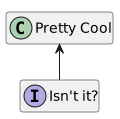
PlantUML diagrams can be written as a code. Make sure to include !pragma layout smetana, as Maven plugin seems to have troubles with a default one.
 .DESCRIPTION
 [plantuml, "DIAGRAM_FILE_NAME", "svg"]
 ----
 !pragma layout smetana

 ACTUAL CONTENT
 ----
A rendered example:
Images
Images go with image:FILENAME[ALT DESCRIPTION].
A rendered example:

Anything else
Anything else you could check in the official documentation.
Syntax quick reference is a good point to start with.